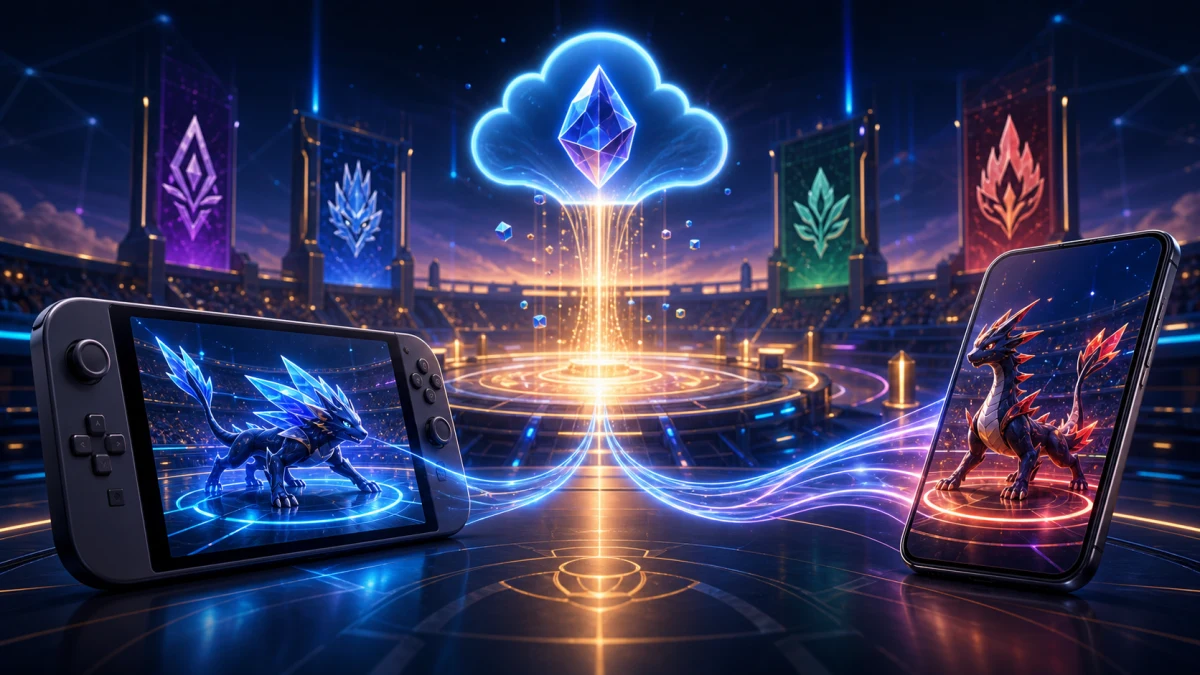
Pokemon Champions supports full cross-play across Nintendo Switch, Nintendo Switch 2, iOS, and Android — all four platforms share one unified matchmaking pool. Cross-save (called cross-progression by The Pokemon Company) is also live, syncing your battle progression and team roster the moment you sign into the same Nintendo Account on any device. Both features activated with the mobile launch on June 17, 2026, and neither requires a paid subscription to use.
Last verified: June 11, 2026
What Is Cross-Play in Pokemon Champions?
Cross-play means players on different hardware can battle each other in the same match. In Pokemon Champions, that covers Nintendo Switch, Nintendo Switch 2, iOS, and Android — all four platforms in one pool.
This is broader than most games offer. Switch-to-mobile battles are supported in every multiplayer mode:
| Battle Mode | Cross-Play Supported |
|---|---|
| Ranked Battles | Yes |
| Casual Battles | Yes |
| Private Battles | Yes |
Cross-play works automatically. The moment you go online, you enter the shared matchmaking pool regardless of which device you are holding. There is no server selector, no region lock between platforms, and no opt-in toggle to find.
What Is Cross-Save (Cross-Progression) in Pokemon Champions?
Cross-save is separate from cross-play. It means your account progress follows you across devices rather than being locked to one piece of hardware.
The Pokemon Company officially calls this feature cross-progression. In practice it covers:
- Account information — your Trainer name, save profile, and settings
- Battle progression — season rank and all unlocked content
- Team roster — every Pokemon in your storage box
- HOME transfers — Pokemon imported from Pokemon HOME via your Nintendo Account remain accessible on all platforms without re-importing
Cross-save is not automatic in the same way cross-play is. It requires you to link the same Nintendo Account on each device you want to sync. Once that link is in place, progress updates propagate across platforms behind the scenes.
Cross-Play vs. Cross-Save: Understanding the Difference
These are two independent systems that happen to work together.
| Feature | What It Does | Setup Required |
|---|---|---|
| Cross-play | Lets you battle players on other platforms | None — automatic when online |
| Cross-save | Syncs your progress and team across devices | Link same Nintendo Account on each device |
You can have cross-play without cross-save (if you never link a Nintendo Account on your phone). You cannot have cross-save without a Nintendo Account link. For the full experience — battle your Switch friends from your phone while keeping your ranked progress in sync — you need both.
How to Set Up Cross-Save: Nintendo Account Linking
Setting up cross-save takes about two minutes per device.
On Nintendo Switch or Switch 2: Your Nintendo Account is already attached through your console’s system account. Launch Pokemon Champions and your progress ties to it immediately.
On iOS or Android:
- Download Pokemon Champions from the App Store or Google Play (free).
- Open the game and select sign-in with Nintendo Account when prompted.
- Complete authentication in the browser that opens.
- The game loads your existing save from the Switch automatically.
That’s the full flow for the game side. Once linked, every battle you finish, every rank you earn, and every roster change you make updates your account regardless of which device you played on.
Important: The in-game Nintendo Account link is distinct from the Pokemon HOME link covered later in this guide. Linking your Nintendo Account in Pokemon Champions does not automatically link HOME — those are two separate connections you set up independently.
What Syncs and What Does Not
Knowing exactly what carries over prevents surprises when you switch devices mid-season.
Confirmed to sync
- Account information and Trainer profile
- Battle progression (season rank, win/loss history)
- Team roster and Pokemon storage
- Pokemon transferred from Pokemon HOME (tied to your Nintendo Account, not your device)
Not confirmed to sync (cut from this guide)
The following have not been verified by official sources or tested by trusted community reporters and are deliberately excluded:
- Whether paid cosmetic purchases (Battle Pass rewards, Style items) sync or remain platform-specific
- Whether in-game currency (Victory Points) earned on one platform is instantly visible on the other
- Granularity of mid-season ranked rating sync vs. season-end reward tier storage
If you are counting on any of those behaviors, check the official Pokemon Champions support pages or the Pokemon Champions patch notes hub for confirmation before acting.
How to Link Pokemon HOME to Pokemon Champions
Linking Pokemon HOME lets you bring Pokemon from previous games into Champions. This step is optional but important for competitive players who want their legacy collection available.
Before you begin, confirm these prerequisites:
- You have completed the in-game tutorial (defeat Rival Arlo). The link fails if the tutorial is not finished.
- Both apps use the same Nintendo Account.
- Your Switch is on firmware v19.1.0 or higher (per community guides; verify against your console).
- Pokemon HOME is updated to v4.0.2 or later and Champions to v1.0.4 or later.
Linking steps:
- Open Pokemon HOME on Nintendo Switch (not the mobile HOME app — importing to Champions happens on Switch only).
- Tap the Pokemon Champions icon in the bottom-right corner of the HOME main screen.
- HOME displays a 16-digit Support ID. Cross-check this against your Trainer Card inside Pokemon Champions before confirming.
- Confirm the connection. The link activates and your eligible Pokemon become available to collect in Champions.
Collecting your HOME Pokemon in Champions:
After linking, open Pokemon Champions on Switch and navigate to the Ranch, then tap “Collect from Pokemon HOME” to bring your transfers into the game. This collection step can only be done on Switch — the mobile version of Champions shows your HOME link status but does not support importing.
What happens to your Pokemon during the transfer?
The transfer process standardizes stats for competitive fairness:
| Attribute | What Happens |
|---|---|
| IVs | Set to 31 in all stats |
| Level | Set to 50 |
| EVs | Preserved |
| Nature | Preserved |
| Ability (including Hidden) | Preserved |
| Shininess | Preserved |
| Legal Moves | Preserved |
| Illegal Moves | Replaced with Struggle |
Pokemon from HOME operate under what community guides call the Visitor System. Their original record stays in HOME, and you can recall them at any time. Pokemon native to Champions cannot be sent back to HOME.
Once a Pokemon is in your Champions roster via this system, it is available on every linked platform — Switch, Switch 2, iOS, and Android — without any additional steps.
Is There a Competitive Advantage on One Platform?
No. The Pokemon Company designed cross-play to be fully fair. Every player uses the same Pokemon, the same battle mechanics, and climbs the same ranking structure regardless of platform.
This matters because Pokemon Champions is now the official VGC (Video Game Championship) competitive platform starting in 2026, replacing Scarlet and Violet. It is used for official Play! Pokemon events including the World Championships in San Francisco. Cross-play and cross-save are supported for official VGC matches, meaning competitors can use mobile devices in sanctioned tournament play.
If you are building for VGC or learning competitive fundamentals, the Pokemon Champions beginner guide and ranked system explainer cover the competitive structure in detail.
Season M-3 and the Mobile Launch Cross-Platform Bonus
The mobile launch on June 17, 2026 triggered Season M-3 simultaneously, introducing:
- Regulation Set M-B
- A new Battle Pass
- A rank reset (ranks reset at the start of every season)
- Mega Raichu X and Mega Raichu Y as free login rewards
Season M-3 login bonus: From June 17 to September 2, 2026, all players who log in can claim Raichu, Raichunite X, and Raichunite Y from their in-game mailbox. The reward is available on both the Nintendo Switch and mobile versions — no cross-save activation required to claim it.
Note: Champion Tier and Master Ball Tier do not unlock on day one of a new season — they open approximately one week after season start. Plan your ranked push accordingly. For full season reward breakdowns, see the Pokemon Champions season rewards guide.
Pokemon Champions Is Free on All Platforms — No Subscription Needed
A common concern for new players: do you need Nintendo Switch Online to use cross-play on Switch?
No. Pokemon Champions does not require a Nintendo Switch Online subscription. Ranked Battles, Casual Battles, Private Battles, and all cross-platform features are available for free on Switch, Switch 2, iOS, and Android. The game is free-to-start with optional in-game purchases, but the core competitive experience — including cross-play and cross-save — costs nothing.
This is one of the biggest structural differences from previous competitive Pokemon games and one of the reasons the mobile launch significantly expanded the player base.
Common Cross-Save Issues and How to Fix Them
A few situations where the Nintendo Account link does not work as expected:
Progress not appearing on mobile after linking: Confirm you signed into the same Nintendo Account used on Switch, not a secondary account. If accounts differ, progress will not merge — each Nintendo Account maintains a separate save.
HOME link failing: The most common cause is an incomplete tutorial. You must defeat Rival Arlo and finish the full intro sequence before the HOME link becomes available. Re-open Champions on Switch, complete the tutorial, and retry the link from HOME.
Support ID mismatch: If the 16-digit Support ID shown in HOME does not match the one on your Trainer Card in Champions, do not confirm the link. Close both apps, ensure both are updated to current versions, and restart the process.
Mobile HOME app showing link but no import option: This is expected behavior. The mobile version of the Pokemon HOME app lets you view your Champions connection but does not support importing Pokemon into Champions. Importing must be done through the Switch version of Champions.
For persistent login issues, check the Pokemon Champions beginner guide or the official Pokemon support portal for account-specific troubleshooting.
Cross-Play in Practice: What to Expect in Matchmaking
Because all platforms share one pool, matchmaking works the same way whether you queued from a Switch or an iPhone. You will not know — and cannot see — what platform your opponent is using.
Ranked Battles match players by their current rank tier, not by platform. If you are grinding from Poke Ball Tier toward Ultra Ball Tier, you may face Switch veterans or fellow mobile newcomers in the same queue. Your Pokemon, your knowledge of EV and IV stats, and your team composition are the deciding variables — not your hardware.
Private Battles let you invite specific friends regardless of what device they are on. You share a room code and the game handles the rest. This makes Pokemon Champions one of the most accessible cross-platform competitive experiences in any Nintendo title.
Quick-Reference Summary
| Question | Answer |
|---|---|
| Cross-play supported? | Yes — Switch, Switch 2, iOS, Android in one pool |
| Cross-save supported? | Yes — via Nintendo Account link |
| Setup required for cross-play? | None — automatic when online |
| Setup required for cross-save? | Link same Nintendo Account on each device |
| Nintendo Switch Online required? | No |
| Free to play? | Yes — core features and cross-platform play are free |
| HOME transfers available on mobile? | Yes (available), but import must happen on Switch |
| Competitive platform advantage? | None — all platforms are equal |
| VGC-legal on mobile? | Yes — mobile play is sanctioned for official events |
FAQ
Does Pokemon Champions have crossplay?
Yes. Pokemon Champions supports full cross-play between Nintendo Switch, Nintendo Switch 2, iOS, and Android. All platforms share one unified matchmaking pool, so Switch and mobile players can battle each other in Ranked, Casual, and Private Battles.
Does Pokemon Champions have cross-save?
Yes. Pokemon Champions supports cross-save (called cross-progression by The Pokemon Company). Link the same Nintendo Account on every device and your battle progression, account info, and team roster carry over automatically.
How do I enable crossplay in Pokemon Champions?
You do not need to do anything. Cross-play activates automatically once you are online. There is no separate server selection or opt-in setting required.
How do I set up cross-save in Pokemon Champions?
Sign in with the same Nintendo Account on every device you want to sync — your Switch, Switch 2, iPhone, or Android phone. The game links your progress to that account automatically.
What data syncs with cross-save in Pokemon Champions?
Cross-save syncs your account information, battle progression, and full team roster across all platforms. Pokemon transferred from Pokemon HOME via your Nintendo Account link are also available on every device.
Do Pokemon I transferred from HOME carry over to mobile?
Yes. Pokemon transferred into Pokemon Champions via Pokemon HOME are tied to your Nintendo Account, not a single device. Once transferred, they are available on Switch and mobile without any re-transfer.
Does Pokemon Champions require Nintendo Switch Online to play?
No. Pokemon Champions does not require a Nintendo Switch Online subscription. The game is free-to-play on Switch, iOS, and Android, and online battles are included at no extra cost.
Is there any competitive advantage to playing on Switch vs. mobile?
No. All platforms share identical Pokemon, battle mechanics, and ranking structures. There is no platform advantage in Ranked Battles or official VGC play.
How do I link Pokemon Champions to Pokemon HOME?
First complete the in-game tutorial (defeat Rival Arlo). Then open the Pokemon HOME app on Switch and tap the Pokemon Champions icon in the bottom-right corner. Verify the 16-digit Support ID matches your Trainer Card in Champions before confirming the link.
Can I collect Pokemon from HOME on my phone?
No. The “Collect from Pokemon HOME” function is only available in the Nintendo Switch version of Pokemon Champions. You can view your HOME link on mobile, but importing Pokemon into Champions must be done on Switch.